Getting started with Node-RED and IoT


Node-Red in its simplest form is an open source visual editor for wiring the internet of things produced by IBM. What does this mean? Well for someone lazy like me it means I can spend more time making stuff "talk" to each other than worrying about all of the interfacing code I will need to write. 

The system contains "Nodes" which look simply to be icons that you drag and drop on to the canvas and wire together. Each Node offers different functionality which can range from a simple debug node to be able to see what's going on in your flow, through to a Raspberry Pi node which allows you to read and write to the GPIO pins of your Pi.

What Is Node-RED?

Node-RED as its name reflects was developed using Node.js framework to bring out a light-weight and browser oriented user interface. It comes with a highly inoperable design which allows it to link both physical and digital type of things together.


For using Node-RED one doesn’t need to be a seasoned programmer. Software engineers with less coding expertise can also contribute to the growth of this field. Most of the programming tasks in Node-RED, you can do visually using the pre-defined function nodes. You can perform drag and drop operation on these nodes and place them on canvas to create the desired workflow. Also, it supports new functionality with the help of JavaScript files.

Example of use ?!

To give an example of what can be done here is my home twitter account telling me about the weather today in Tunisia .


The flow to produce something like this within Node-Red is shown below and it took me literally 15 minutes to have everything set up.
To summarize the flow:
1. Get the current weather state from open weather map 
2. Extract the request and customize the return msg
3. The message is then sent to a Tweet node and tweeted for me.
4. Sent the message also to the Debug window to verify the functionality 

So now I've sold you the idea.. lets get to the installation!

Let’s Start The Node-RED Installation.

This installation is for Ubuntu Desktop 14.04,you can find the other guides in the internet if you are going to install it on RPI or Ubuntu 16.04

1- Setup Node.Js Before Node-RED Installation.

NodeJS 

Run commands to install the latest version of Node.js. Here is the command which will install and add node js support.

curl -sL https://deb.nodesource.com/setup_4.x | sudo -E bash -

Then install the Node.js package.

sudo apt-get install -y nodejs
Verify the version

node -v

Verify the version After setting up node js server, move to install the Node Package Manager i.e. , run the below command.

sudo apt-get install npm

sudo ln -s /usr/bin/nodejs /usr/bin/node
Test the Node.js installation by executing the following commands:


2. Setting Up Node-RED


Installation

There are two approaches of installation 

  1. Using git and node-red installation 
  2. Install from npm packages sources
To make it pretty easy we are going to install it through the npm

sudo npm install -g node-red


Run the server 

$ node-red
You will see a lot of information print out on to the screen, errors about missing packages and all of the good stuff. However the one line you are looking for is related to Node-Red being available on the default 1880 port. 
So next you need to navigate to your Pi’s IP address and port to see Node-Red in all of its glory.

http://127.0.0.1:1880/
You should be welcomed to a blank canvas with all of the “nodes” available on the left hand of the screen. You can drag and drop these to start wiring things together. We will next be discussing how to create your first "flow" using these nodes.

Building your first App

After you have launched the server ,a new empty flow comes up


Click on the input section ,then drag, the inject node to the flow


Now click twice on the node inject ,customize your settings. 
Change time stamp to string 


Now go ahead ,to the output section ,then drag the debug node to the flow


Great ! now everything is almost ready ,what's we need now is to connect the nodes ! and that's set ! .Am definitely in love with this framework !


Good ! now let's deploy and see the results ! .Click on the deploy button

The results are shown on the debug side section . After deploy ,click on injectME node in the flow :D 


Congratulations! that's was your first app with node-red

Why IOT(Internet of things ) ?!

IOT core idea is basically the interaction between objects ,and the interaction is built on the message exchange between nodes ,through ,a different protocols ,such as ,MQTT,HTTP,SSH ...... ,the implementation of one prototype takes you months of coding and hard working to integrate the different aspects of the objects and to make the system solid ,but ,with Node-Red the implementation would be very easy ,in fact it's funny too to work with the different layers ,protocols and per-build features .

How to add another Nodes ?!

Fir-stable check out the Node-Red flows ,it's huge collection of the flows ,include almost everything you need to build any idea .Let's try to install the Arduino Node .
Open up your terminal

$ cd ~/.node-red/
Now install the new package

sudo npm install node-red-node-arduino
New node


Resources

You can find anything in the official web site https://nodered.org/
for the node-red flows https://flows.nodered.org/
for the RPI node-red ,follow this guide :Adafruit guide
good tuto that have helped me : http://www.techbeamers.com/getting-started-with-node-red/

What's next .....?!

Am working in new project called "Litsy" using the node red platform for the implementation .In the next post I will shared with you :D .
It's your turn NOW 

10 Awesome Sublime Snippets for Web Development


What is Snippets ?!

Whether you are coding or writing the next vampire best-seller, you’re likely to need certain short fragments of text again and again. Use snippets to save yourself tedious typing. 

Snippets are smart templates that will insert text for you and adapt it to their context. Snippets can be stored under any package’s folder, but to keep it simple while you’re learning, you can save them to your Packages/User folder.

1. Bootstrap Snippets

A sublime plugin complete with Bootstrap 3 snippets .
Add this package !


2. Emmet

Emmet is a useful plugin that saves time by making you write less, thus increasing your productivity. Emmet is available for other text editors like Notepad++ and Eclipse.
Add this package !


3. JavaScript & NodeJS Snippets

A collection of shorthand snippets for writing common JavaScript expressions much faster. Why write document.querySelector('selector'); 
when you can simply type qs, press tab, and let Sublime do the rest of the work.
Add this package !


4. ColorPicker

A tiny, useful color picker that is very simple to use and great for quickly grabbing color hex values. The plugin opens in a separate window and allows you to choose a color from a palette or use an eye dropper to extract color from anywhere on your screen.
Add this package !


5. Code-igniter Snippets

This is a Sublime Text package that plans to include a complete list of snippets for all classes, libraries and helpers on CodeIgniter PHP framework. Inspired on Marco Monteiro CI-Snippets and David Ferguson CI TextMate Bunddle
Add this package !


6. All autocomplete

Sublime Text’s default autocomplete considers words that are present in the current file only. The All Autocomplete plug-in, however, searches all open files to find matches while suggesting words.

Add this package !


7. Js-Beautifier 

When you open up a js file with txt format it look messy ,this plugin get beautifier the code to looks clean again .

Add this Package !


8. GIT

These days, more often than not, you are going to work with a version control software, and the most popular VCS is Git. Are you tired of saving your text files and switching back to the terminal to run a few Git commands. Wouldn’t it be nice if you could execute Git commands from the text editor itself? Install the Git plugin and get more done in less time!
Add this Package !


9. Bracket Highlighter

Bracket Highlighter matches a variety of brackets such as: [], (), {}, "", '', #!xml , and even custom brackets.
Add this Package !


10. Smart Snippets

SMART Snippets is a new Sublime Text plugin that aims to enhance your overall coding experience. With SMART Snippets, You can now use Python to dynamically create snippets. Need to quickly timestamp your code? Unfortunately, ST2's default snippets are static.

Add this Package !


How to install Snippets to Sublime Edit Text ?!

There is a lot of tutorial on the net included the installation guide of the snippets .In a previous i have written a post about this ,Check it now ! 

How to create my own snippets ?!

This actually a very good question ,there is an official guide published by the Sublime developer team check out there post ! 

2016 Review :What I Could Have Done Better, What I Did Right, and Plans for 2017


This article inspired by Alex,2016 year in review

It’s that time of year again, where most of us think of new resolutions for the coming year and set ourselves goals and promises to keep for the new year ahead, that are bigger and better. 

There were a lot of things that I did during the year and it’s crazy to realize how long a year is and how much you can get done. 

I wish it didn’t go by so fast because it’s been such an incredible year in my life.

What I Could Have Done Better

Now, I think it’s important to highlight what I could have done better so I can better reflect on my weaknesses and work on those sticking points.

What I have done (important moments )

This has been a big year. A lot has happened and I’m in a very different place compared to twelve months ago.

  1. CTF contests

I have Played more than +18 Contest compared to 5 contests in 2015 , that's was great ! to boosts more my skills in security and programming.Check out the contests here CTFs and our Blog for writeups http://0xbugsbunny.blogspot.com/

2. OURCloud project

That's was really one of the favorite projects for me after 4 months of the launch of  Own-cloud ,I have worked on something like own cloud server, It was also presented as Mini project in my university.
you can find the code source here https://github.com/ihebski/ourcloud


3. Award of the best graduation project and the first IOT project in Tunisia

Graduation was an exciting moment for me as a student to celebrate all the achievements over many years and months of hard work and study.It was absolutely great when we have received the Award of the Best graduation project and the highest mark in my university.Also, the project was introduced in the IOT workshop by our professor.(The award was received by the minister of Technology and communication )

4. Lauréate de la promotion SR(Sécurité réseaux) 2016: Graduation  

After 3 years of hard working, Finally graduation !!! 


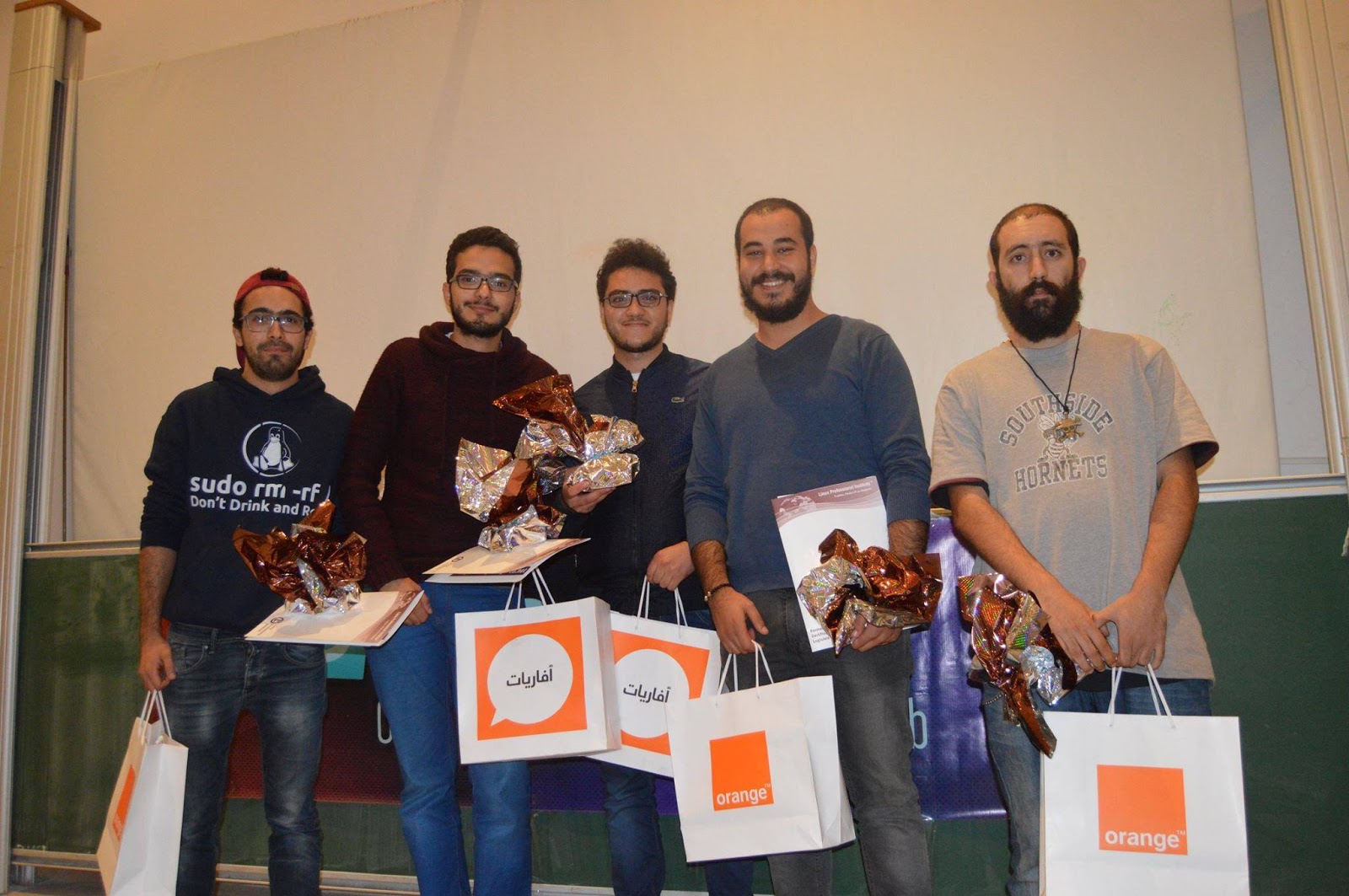
5. First place winners of Elearning Hackathon 

Nodes project was placed as the first project to be the laureate of the Hackathon, you read more about the challenge here Tunisia Elearning Hackathon

6. First place winners of TuniHack Hackathon: Ventus project

This challenge was about creating a solution for Data Science and Economy sharing.The Bugs_Bunny team was placed as the first place winners with "Ventus Project" that combine the two side of the themes, Also, an award for Tritux API and Award of DataVora dataset.


7. Patricia BOT 

When feeling lonely you can create your own bot to talk with it.Am totally obsess with Artificial Intelligence, so, it was a good try to launch Patricia BOT on facebook and test it with more than 50 real conversions.
you can read more about the project here! https://nodeme.blogspot.com/2016/10/we-made-our-own-smart-artificial_14.html and Check out my ppt presentation http://www.slideshare.net/Ihebbensalem3/patricia-botthe-human-apprentice .Patricia was introduced in an event about AI at Time university 

8. NodeMe blog 

Am not a great writer, but, Blogging was something special for me when you can share your experiences, knowledge and your interests with all the different kind of people in the world.I was wondering when my first post has bypassed 500 views in a couple of days, that's  have inspired me to share more valuable things with people and to inspire and be inspired, that's what worth your effort in the end. (When u convinced Tunisians to views your blog this is Totally a  miracle! )

9. Second Place winner of Start UP Pirate Tunis contest

When you are a geek with full passion and enthusiasm of technology, you have probably no life :p! , Startup pirate was a great experience that has changed my life.You can learn almost everything in 8 days with experts, investors, and company founders and through their experiences you can place your yourself to work for own and brings your ideas out to the world.


10. Mini workshop at Hack m3ana event (makers event)

The OpenFab community of makers and fab labs works very hard to improve the concept of Maker Labs and Fablabs in Tunisia.
Good work guys :) 


11. Become Member of Book club

Nothing great then meeting such valuable people to discuss books , topics , and to share knowledge with others.

12. Certification of OSI (objectif sciences international ) ST1

We were the youngest ones with a group of doctors and professor ,funny isn't :p!

13. Certification Steer you career : Injezz Tunisie

After 6 sessions of leadership ,communication, collaborative work , management , and time management we were 13 certified student from the Young Word Achievement foundation. 

14. Google Hash-Code

With my team we have played in Hash-code contest, we were placed with 507 Rank in the world ! Great isn't, it's the first time ever we play in such a big event like that and with 11 pages to describe the task :p!


15. First place winners of Innovation camp Injezz Tunisie

The challenge was really funny, we have been placed on the TOP of the teams with a very weird idea :p  , I have no idea how we have successfully convinced the judges :p! , the Vikings Magic.


16. Open street Map

When you can contribute to maps, that makes it awesome.


17. Firefox Student Ambassadors

Am new to Mozilla community , I hope 2017 will be the year of Mozilla firefox


18. Fabric Fest


19. Engineers Spark 

I was really glad to see my family getting bigger in a different places and universities.Our club now makes a lot of people inspired by technology , and getting the experience worth to inspire others to do the same thing.


20. Founder of El Ghazala HackerSpace 

Hackerspaces are community-operated physical places, where people can meet and work on their projects. Read more about it here https://wiki.hackerspaces.org/Ghazela_Hackerspace


Things that didn’t go well: what is work/life balance?

My work/life balance is a work in progress and was something I wanted to fix but haven’t. 

What’s in store for next year?

Alright, so what’s in store for next year? There are a couple of things I want to specifically target: 

  • growing a startup 
  • Improve the hackerSpace concept
  • Switch off from work more and reinstate the weekend. 
  • Attend more conferences. 
  • Spend more time with family and friends. 
  • Learn more! Get back in the reading habit. 
  • Generally, improve the quality of life and happiness.

Final Thoughts

Never underestimate what you can get done in a year. Although I made some mistakes, I still made 2016 great by making lots of great decisions and accomplishments. 

I’m sure there will be some road bumps in 2017 but I won’t let that stop me from my goals.
It ain't about how hard you hit. It's about how hard you can get hit and keep moving forward. That's how winning is done"-Rocky Balboa 

Nodes project /Tunisia eLearning Hackathon


As the world need more technology to help students and teachers fulfill their objectives ,E-learning is essentials ,furthermore e-learning website and platforms are progressing very fast but they don't consider the importance of how student sees the information ,how he understand it and what is the differences between the pedagogical approaches,as some learn better by reading , other by visual interpretations , the need to centralize all the pedagogy into one effective system is important. ,with new technologies see the dawn ,like IOT and the virtual reality they are progressing and seem really in heat right now, we thought of them to fulfill our needs, so the main idea in our project is to make a virtual-real classroom ,where people can read, see and hear .

The real power of interactive technologies is that they let us learn in ways that aren’t otherwise possible or practical. - David Lassner. for that

What is Nodes project ?!

A new way of learning , an open source ,Hardware  platform based on VR technology for everyone That make E-learning a living experience for all in very fun and astonishing style.As if he was in a real classroom ,with virtual reality technology,and through the Holograms for scientific experiences , project and can give a nice and fulfilling interpretations of experiences like chemical reactions and circuits manipulation for students and also help teachers and entity's that can't afford some expensive materials to at least give their students the opportunities to see those experiences .

The core idea of the project is to make the virtual technology accessible for everyone to help students ,instructors and even professional to understand more the facts.The project is spat into 4 parts which are merged to one main idea to make the science more interactive .

Virtual reality headset : One important way VR headsets can increase immersion is to increase the field of view . how wide the picture is. A 360-degree display would be too expensive and unnecessary .
Hologram :The traditional projector are not interactive but with the hologram, we can turn the displaying of information more interactive with 3D picture and dynamic view ,which helps teachers to explain more the facts .In additional the VR headset is only limited for one individual otherwise hologram will be a good choice in the class .
IOT : Blocks board  is a platform of easy-to-use electronic building blocks that empower you to invent anything, from your own remote controlled car, to a smart home device. The blocks snap together with magnets, no soldering, no wiring, no programming needed.
Cross platform : its web application for technical(contributors ,makers ,teachers, and students) ,and nontechnical users(Artist ) to share and write their own tutorials and a store for the developers to create 3D applications for VR or 360 videos .Also ,to download the apk files to run the apps for the VR headset and download the 360° videos for the Hologram projector .

What we did ?!

  1. Blocks board

We have used a hand made  prototyping board based on Microchip pic18F4550 with Pinguino firmware ,the circuit was built before the contest ,but ,we have fixed some wires and problems that we have faced on the board .The other blocks are LED block, RGB LED block ,Relay block ,also another simple blocks to control things through IR remote using TSOP1738.
Here are the screenshots of one of the blocks with both boards Pinguino and Arduino  .

Led in action
Two board and one block

    2. VR Headset

We have tested a real VR headset (Oculus Rift) ,the experience was great ,but, even that the VR is not too much expensive ,the price still not accessible for everyone so we though making the google cardboard project which is very cheap and anyone can build it at home !! with a real good experience .
here are screenshots of the assembly process 

    3. Hologram 3D mobile projector

People think to create a hologram is really a difficult task but in fact, it's really an easy task as all you need is your i-pad and some plastic sheet Print out the template on a piece of paper


Print out the template on a piece of paper


Trace out the shape on the plastic sheet using a ruler and pen. For the trapezoid template, trace out four similar outlines on the plastic sheet. Now carefully cut out the outlines with a cutting blade and ruler. Try to achieve the cuts as precisely as possible for a perfect pyramid.and then you get this
[Here are our screenshot]

the pyramid is fixed on the tablet 


And then we covered the system with the box to decrease the lights out and to get an HD picture :D !
and then all you need is to find a hologram video on youtube, for example, this one 
We have provided educational videos such as Solar system ,real human Heart and some fish used for natural science . 
Here are screenshots of the final results 
Human Heart 

Solar system 


    4. Web platform

Our web platform was the central nodes where you can get anything ,as teachers and the community can add tutorials and articles , lessons and 360° videos to help others learn and scalp there skills we needed a platform to centralise all of that, so we need a strong solid platform for all of that and how lucky we are to find an open source strong platform that can fully be customised for our needs with that we can work on the norms faster thanks to open source community . We wrote some articles to improve the power of the web community application .
Here are the screenshots 
Homepage {As you can see the design is friendly and the web app is easy to use }

Create Tutorials page 

Example of article


    5. Nodes VR android application

The VR headset needs a 360-degree video to show  the  application with 3D interactive way  ,and our idea was to show up what is going inside the human body using the VR feature ,another wise seeking for the other application we have created our app that facilitates the access to a bunch of educational videos .Nodes VR was live during the challenge and uploaded to playStore ,the key feature of the application that is a human-friendly interface ,which is easy and fast .


All the videos are interactive .


24 h of hacking NON-STOP !

The hackathon was a great moment to share knowledge and meets people ,the experience we got was astonishing with the new people we met ,the great network we forged and the idea sharing was really overwhelming .
After 24 h ,giving a pitch front of the judge to present our work .You can find out the ppt file from this link [click]

Our Team

Award !